

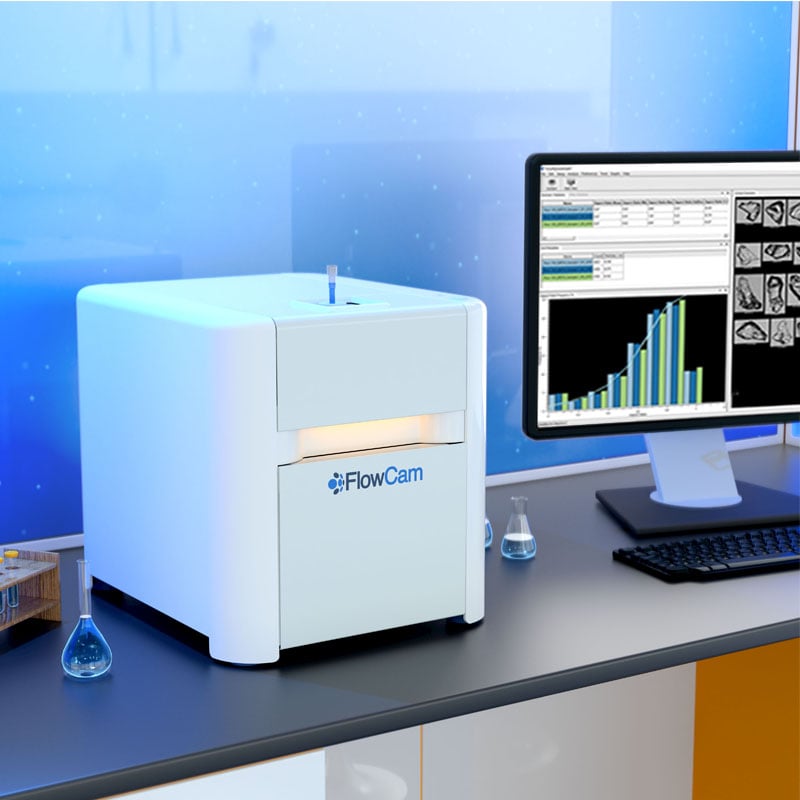




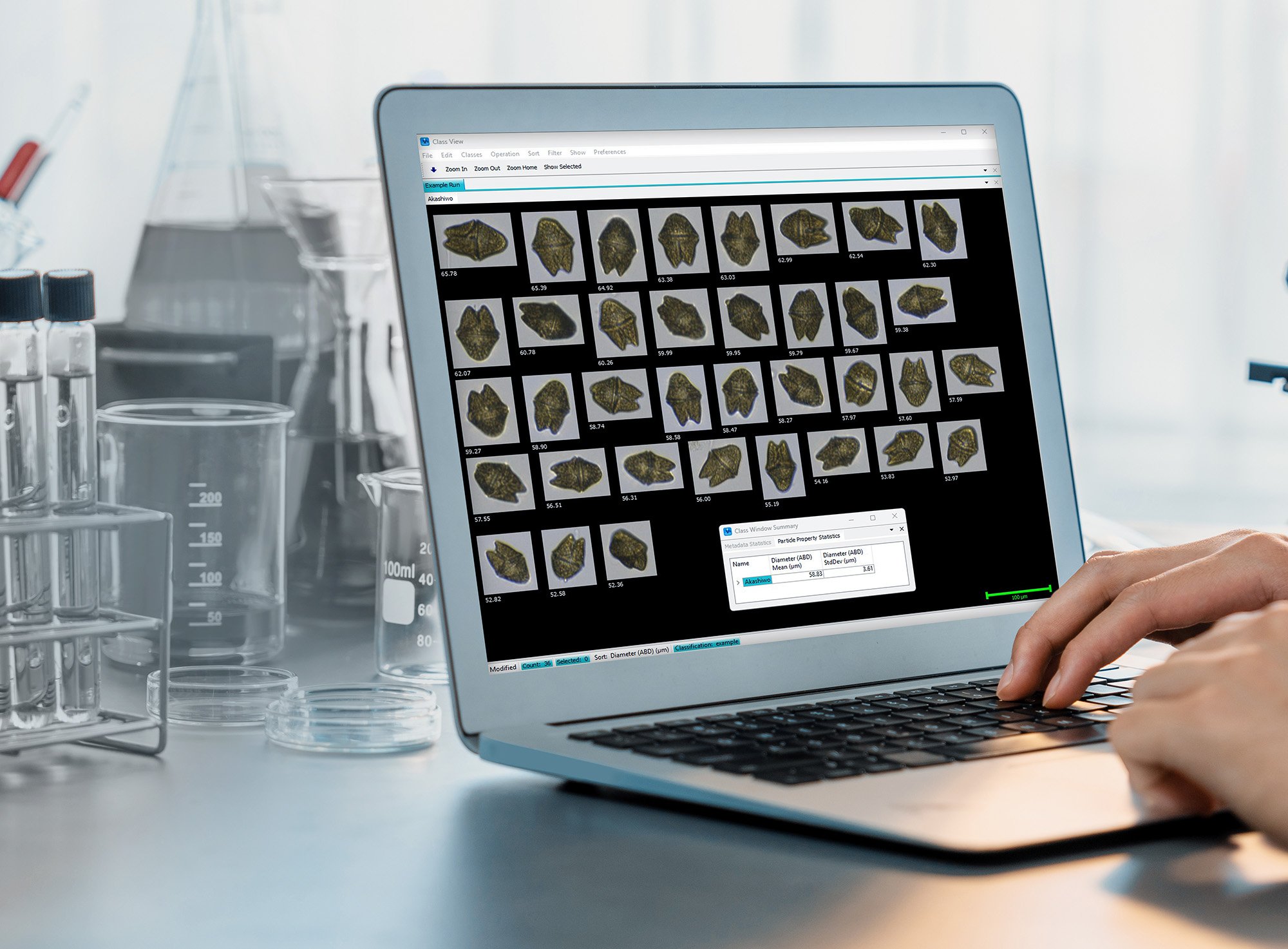
With Flow Imaging Microscopy, thousands of FlowCam images of particles can be acquired in a single sample run. The Classification Tool in VisualSpreadsheet provides users with a way to organize FlowCam images into categories to facilitate further analysis of individual groups within a larger sample. For example, organizing images into classes allows users to produce quantitative statistics for individual groups, retrieve and reuse classified images, and reclassify images within a run. Meaningful interpretation of complex samples is much more tractable using VisualSpreadsheet Classification to organize imaging data in quantitative, retrievable ways.
What Is the Classification Tool in VisualSpreadsheet?
The Classification tool in VisualSpreadsheet is a workspace associated with a particular run or set. Within a classification, users can create and move images into groups, called classes. This can be done manually and/or with the help of other tools, such as particle properties and image recognition (e.g., Selected Particles, Libraries).
Fundamental Advantages of FlowCam's Classification Tool
1) Get Started Right Away
The Classification tool is particularly valuable for new users who want to start organizing their data right away. The Classification tool can be used initially to become familiar with the most abundant or important taxa; those images can then be used to build libraries and filters to facilitate future classifications. It can also be used to post-process runs before importing images into EcoTaxa or other models.
2) Produce Quantitative Statistics for Individual Groups Within a Sample
By using the Classification tool to isolate specific classes within a sample, users can track particle property statistics for each group. For example, particle size distributions can reveal the mean diameter for each class (Figure 1). Further, the tool can also be used to track dynamic changes, such as cell growth over time or under different experimental conditions. 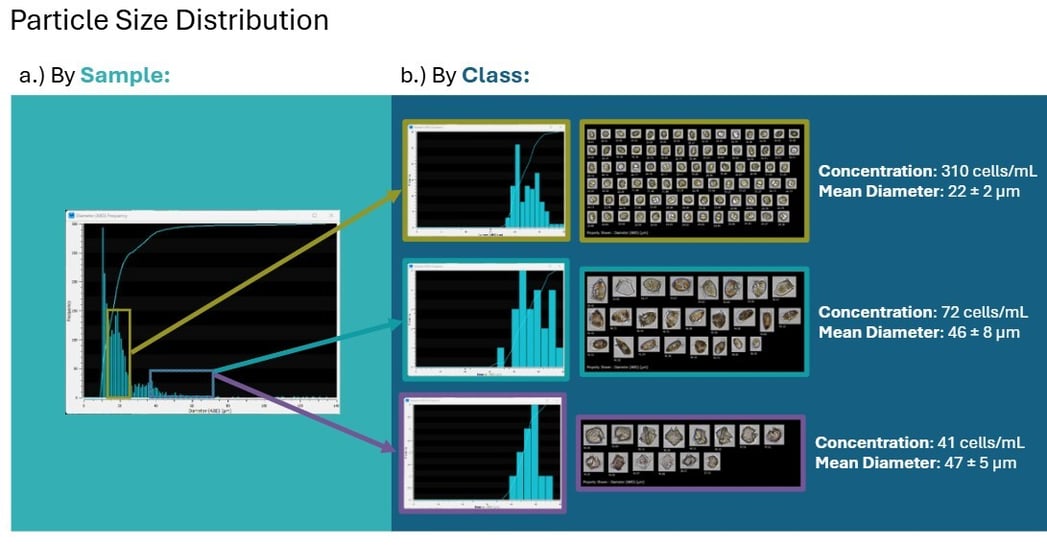
Figure 1: a) After a run, VisualSpreadsheet automatically produces a particle size distribution for the sample. b) The Classification tool is used to divide the sample into individual groups for enumeration and class-specific size distributions and statistics (e.g. Diameter mean and standard deviation).
3) Easily Retrieve, Reclassify, and Reuse Classified Images
Classification data can be saved, allowing users to easily retrieve, reclassify, and reuse images. Using the Classification tool improves the accessibility and usability of imaging data, especially across diverse research programs.
- Retrieve: With the Classification tool, users can save their work and return to it at any time.
- Reclassify: Images can easily be moved from one class to another.
- Reuse: Users who want to use the same dataset to investigate different questions can have multiple classifications associated with a single run.
The Classification tool can also be used to sort and label data for downstream use in classification platforms, including EcoTaxa or other custom models. Read more about how high-throughput imaging with FlowCam supports scalable, AI-powered plankton identification in our white paper, "Leveraging FlowCam for AI-Driven Plankton Classification."
Download White Paper | Leveraging FlowCam for AI-Driven Plankton Classification
Get More from FlowCam Data with Classification
Among VisualSpreadsheet’s various capabilities, the Classification tool is a powerful workspace that enables users to export particle property statistics for individual groups within a sample while keeping FlowCam images organized, retrievable, and reusable.
Whether you’re a current user looking for a refresher on how the Classification window works or someone curious about FlowCam in general, please contact us.